← back
Side project · Nov 2026 — present
PadDeck
CREATOR · iOS AND MACOS
Turns an iPhone or iPad into a wireless trackpad, keyboard and shortcut deck for the Mac. On the App Store, with a free Mac app and a version for old jailbroken iPads.
- company
- Side project
The idea
It started with an iPad 3 sitting in a drawer: turn it into a keyboard and trackpad to control the Mac from the couch. It grew into three apps that talk to each other: the iPhone and iPad app on the App Store, the free PadDeck for Mac that lives in the menu bar, and the original version for iOS 8 jailbroken iPads, shipped through my Cydia repo.
What it does
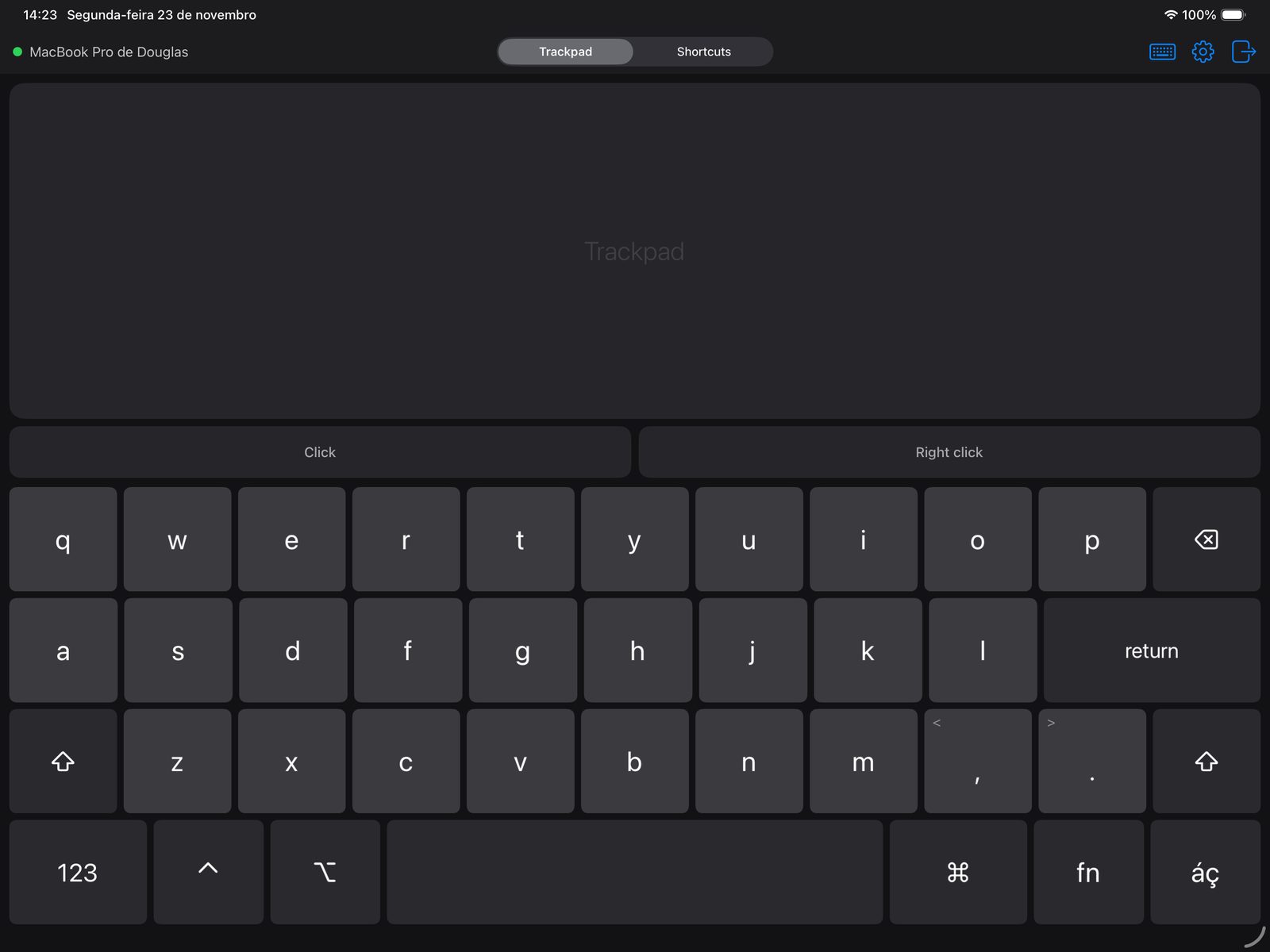
- Trackpad with tap to click, Mac-like momentum scrolling, double-tap and drag, three-finger swipes and a one-finger scroll strip
- Mac keyboard with ⌘ ⌥ ⌃ ⇧, function and media keys and hold-for-accents, working with any Mac keyboard layout
- Stream Deck-style shortcut panel: 45 buttons for shortcuts, text, apps, websites and media keys
- 19 color profiles matching the MacBook Neo, Air, Pro and iMac finishes
- Connects over Wi-Fi or a USB cable, paired with a PIN
Under the hood
- Custom protocol: TCP for clicks and keys, UDP for pointer movement, Bonjour to find the Mac. Over the cable it goes through usbmuxd, the same service Finder uses to talk to an iPhone
- Mac app in Swift that posts the mouse and keyboard events, smooths the pointer over Wi-Fi, and is signed and notarized by Apple
- App Store app in Swift and UIKit, with SwiftUI screens, Network.framework and layouts for iPhone, iPad and Split View, in English and Portuguese
- iOS 8 app in Objective-C, built for armv7 and shipped as a Cydia package
- From prototype to release: icon, website, support and privacy pages, store texts and screenshots